一、演示内容:
1、SD的photopea插件涂鸦发送之controlnet,
2、用scribble+shuffle预处理,
3、zaha的lora,
4、提示词描述
所有的AI设计工具,模型和插件,都已经整理好了,文末扫码即可免费获取噢~
二、成果展示
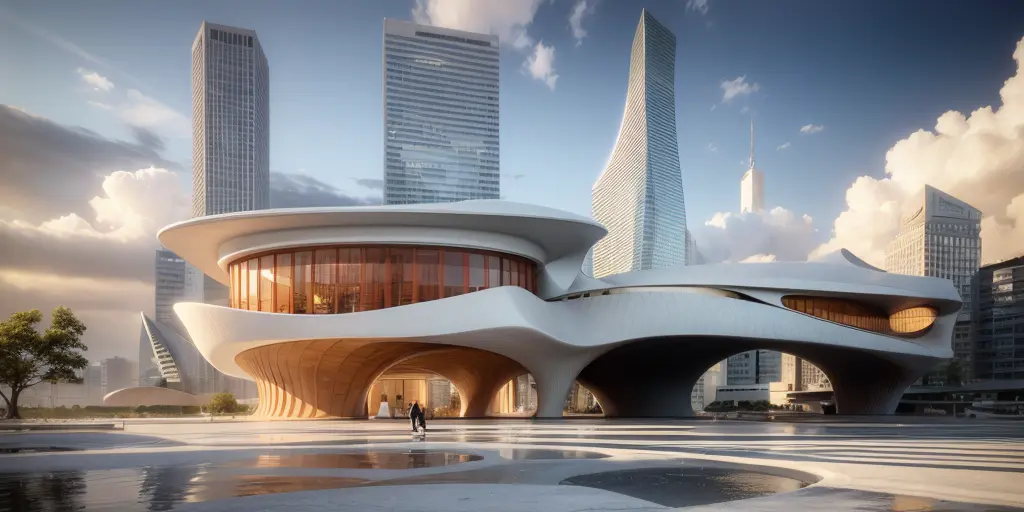
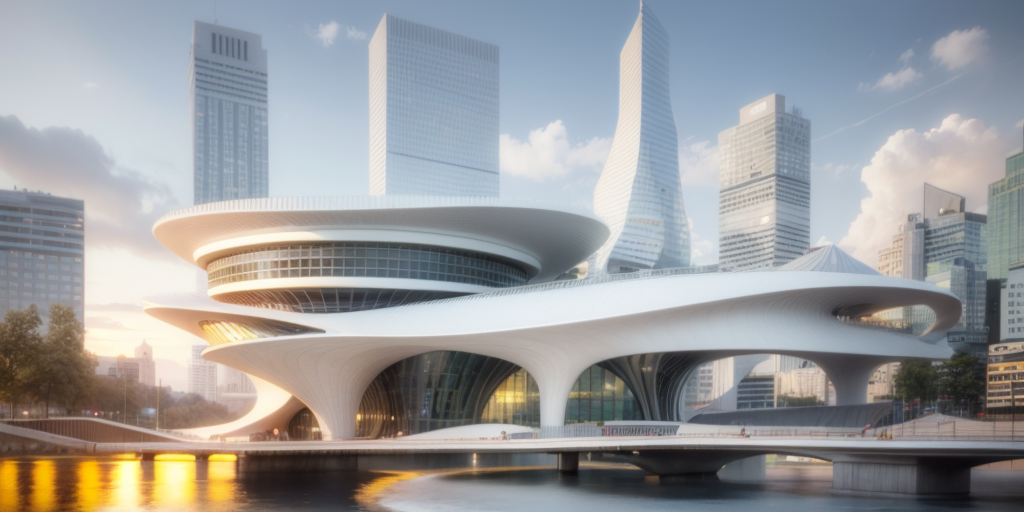
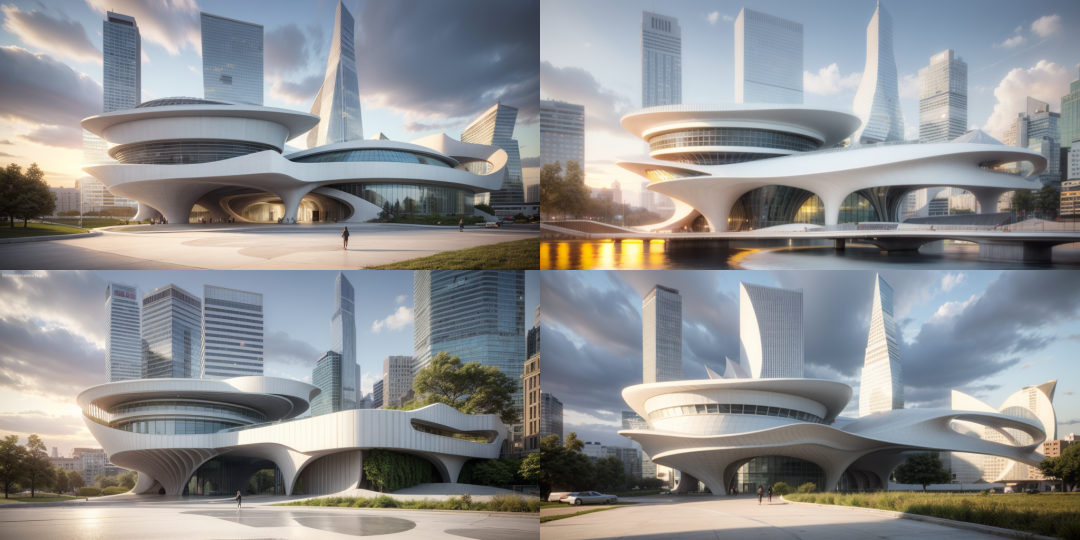
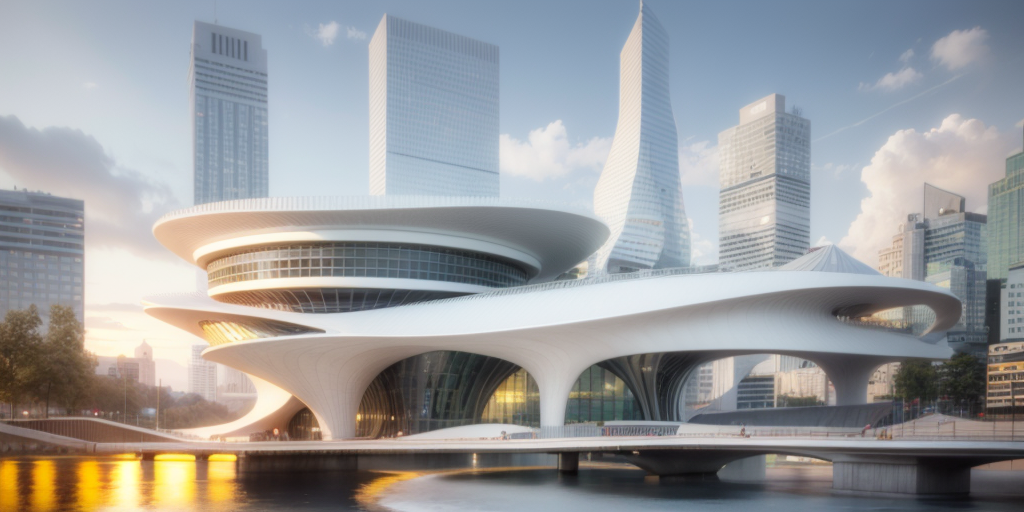
白天

参数立面感
三、教程准备
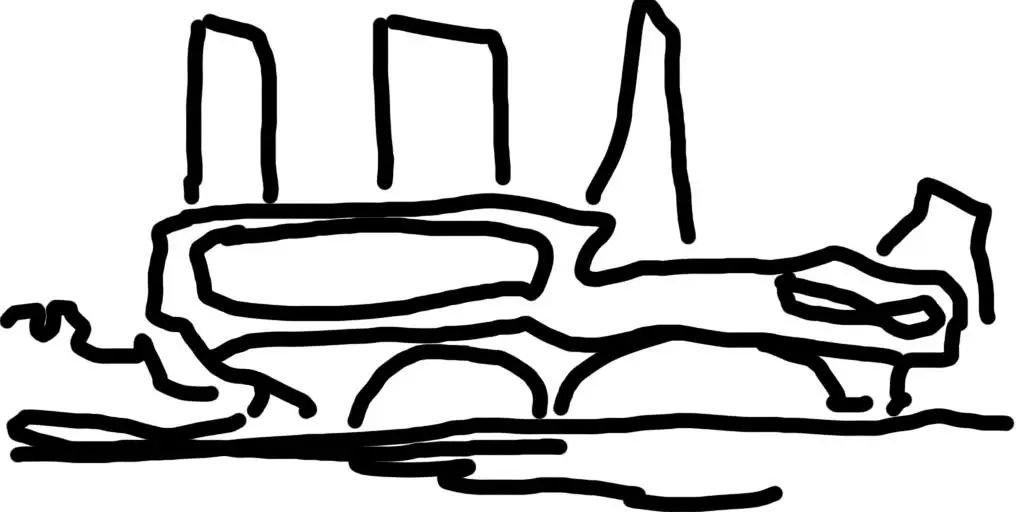
1、一张草稿

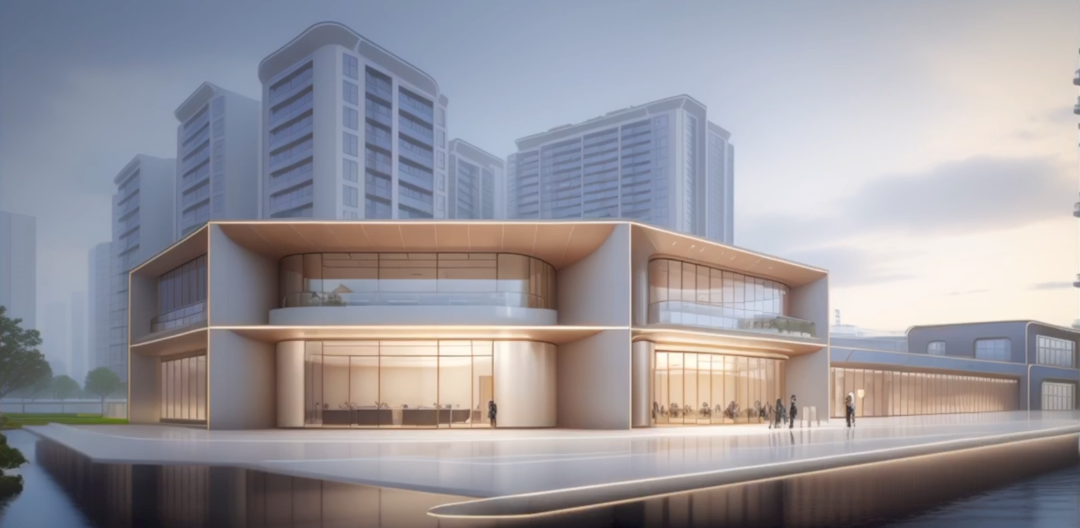
2、一张shuffle参考图
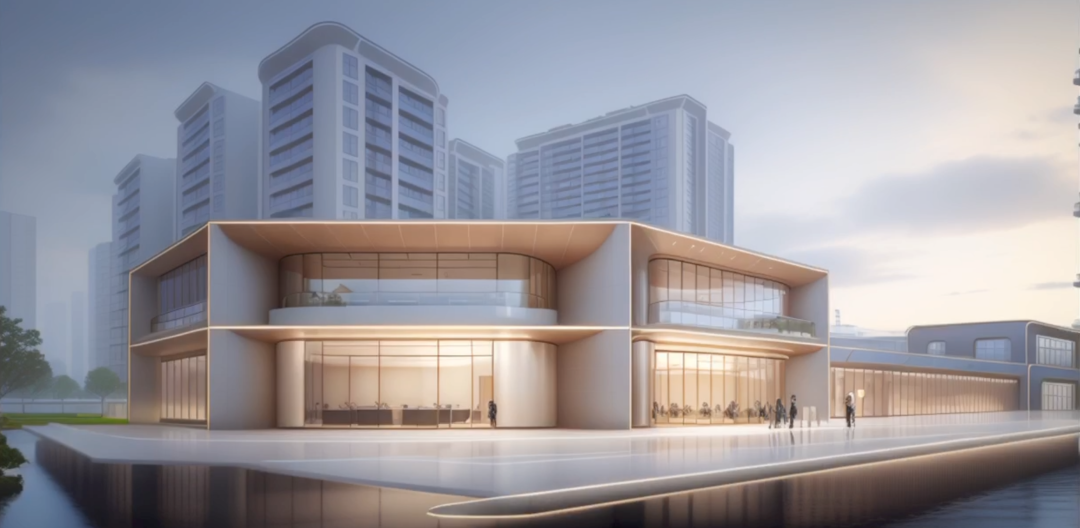
本图为陈总自制lora模型,生成的售楼处的图
3、用到的模型,仍然是henmixReal_v40.safetensors,C站可以下到
四、生图步骤
1、填写如下提示词
parameters
a rendering of a building with large windows on it’s side and a city in the
background,people walking around it on the sidewalk,a digital rendering,David
Chipperfield,hypermodernism,vray
render,architecture,bridge,building,city,cityscape,cloud,cloudy_sky,day,east_asian_architecture,house,mountain,no_humans,outdoors,road,ruins,scenery,sky,skyscraper,tower,tree,
Negative prompt: overexpousure, sketch,illustrious,logo,text, paintings,
sketches, (worst quality:2), (low quality:2), (normal quality:2), lowres,
((monochrome)), ((grayscale)), watermark, signature, text, [(
NG_DeepNegative_V1_75T :0.9) :0.2], high contrast,
Steps: 12, Sampler: DPM++ SDE Karras, CFG scale: 9, Seed: 2971866181, Size:
1024×512, Model hash: d1aaf70725, Model: henmixReal_v40, NGMS: 3, ControlNet
0: “preprocessor: invert (from white bg & black line), model:
control_v11p_sd15_scribble [d4ba51ff], weight: 0.6, starting/ending: (0, 1),
resize mode: Crop and Resize, pixel perfect: False, control mode: Balanced,
preprocessor params: (512, 64, 64)”, ControlNet 1: “preprocessor: shuffle,
model: control_v11e_sd15_shuffle [526bfdae], weight: 0.4, starting/ending: (0,
1), resize mode: Crop and Resize, pixel perfect: True, control mode: Balanced,
preprocessor params: (512, 64, 64)”, CFG Rescale φ: 0, AddNet Enabled: True,
AddNet Module 1: LoRA, AddNet Model 1: zahahadid(448e3b918283), AddNet Weight
A 1: 0.35, AddNet Weight B 1: 0.35
2、生图参数如下
3、测试推荐种子:
2060827079
2060827087
3816377789
五、重点讲解:
1、photopea插件:
插件下载几安装地址:
https://github.com/yankooliveira/sd-webui-photopea-embed
食用方法,与ps基本相同,免费是全功能,有广告,可以编辑后可保存或者直接发送到生图界面
2、提示词提取插件:
1、wd14-tagger和clip-interrogator
https://github.com/pharmapsychotic/clip-interrogator-ext
https://github.com/toriato/stable-diffusion-webui-wd14-tagger
3、lora参数为0.35,不宜过大
4、shuffle参数为0.4
六、过程图分享:
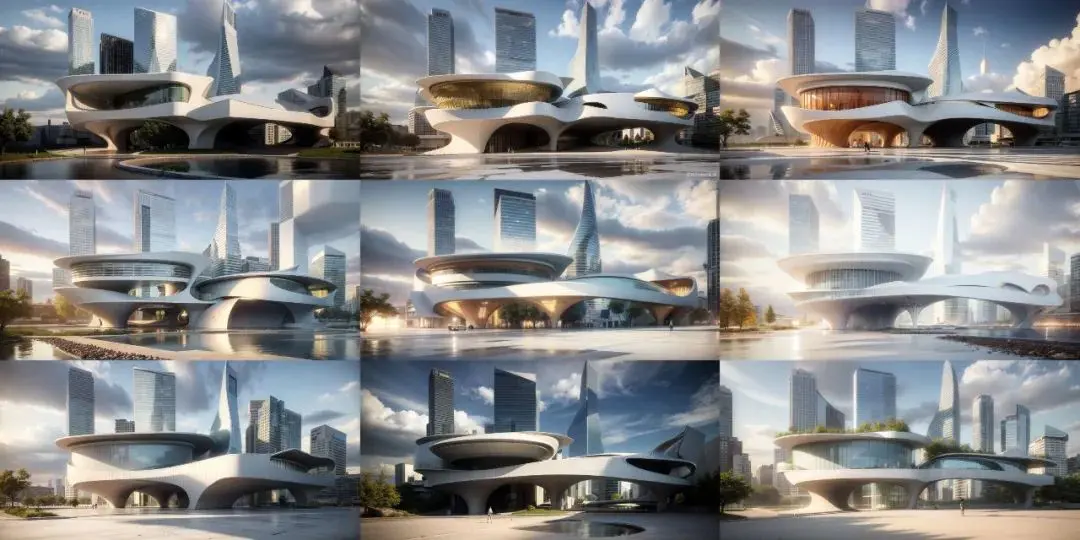
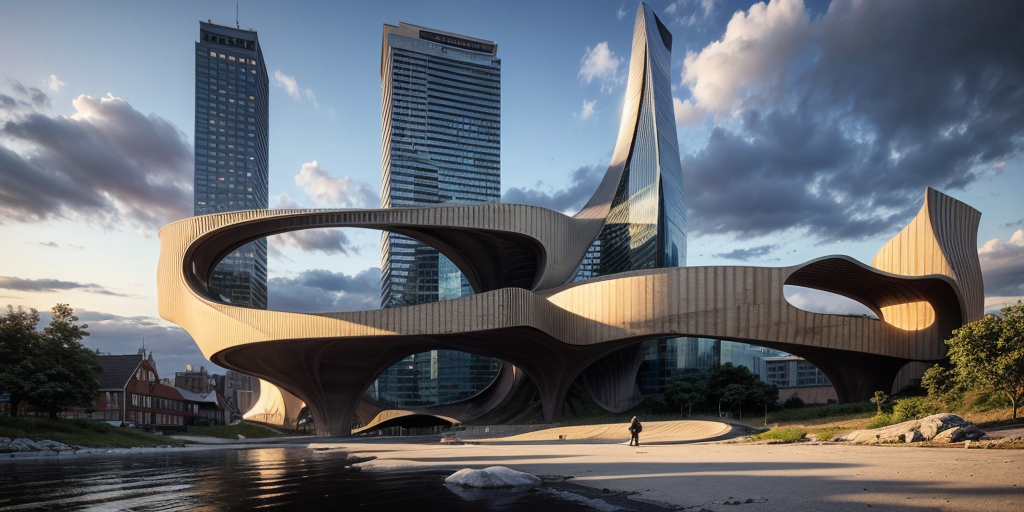
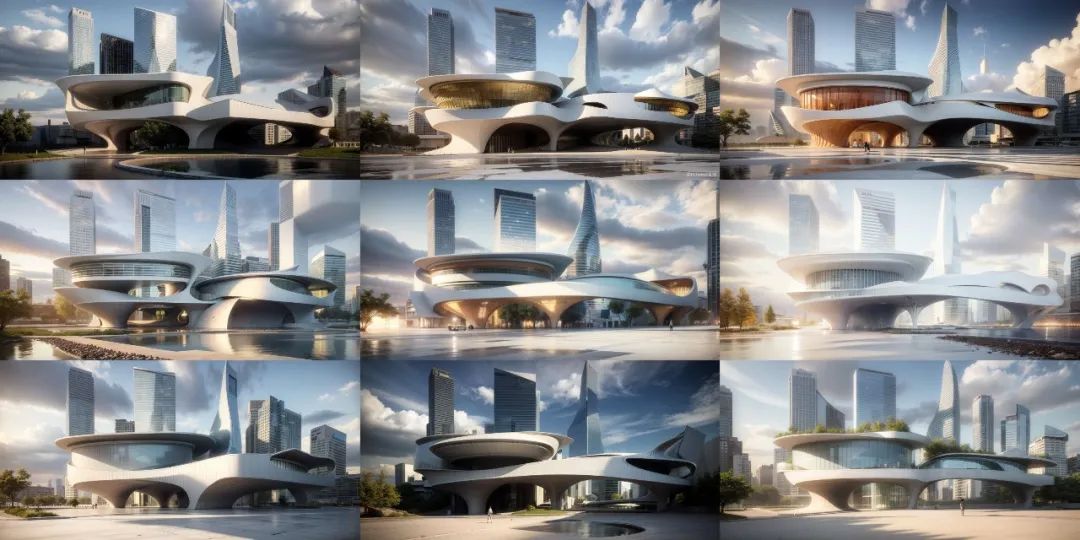
henmixreal大模型生成的效果

动漫大模型:revAnimated_v122
parameters
a rendering of a building with large windows on it’s side and a city in the
background,people walking around it on the sidewalk,a digital rendering,David
Chipperfield,hypermodernism,vray
render,architecture,bridge,building,city,cityscape,cloud,cloudy_sky,day,east_asian_architecture,house,mountain,no_humans,outdoors,road,ruins,scenery,sky,skyscraper,tower,tree,
Negative prompt: overexpousure, sketch,illustrious,logo,text, paintings,
sketches, (worst quality:2), (low quality:2), (normal quality:2), lowres,
((monochrome)), ((grayscale)), watermark, signature, text, [(
NG_DeepNegative_V1_75T :0.9) :0.2], high contrast,
Steps: 12, Sampler: DPM++ SDE Karras, CFG scale: 9, Seed: 2161132774, Size:
1024×512, Model hash: 4199bcdd14, Model: revAnimated_v122, Clip skip: 2, NGMS:
3, ControlNet 0: “preprocessor: invert (from white bg & black line), model:
control_v11p_sd15_scribble [d4ba51ff], weight: 0.6, starting/ending: (0, 1),
resize mode: Crop and Resize, pixel perfect: False, control mode: Balanced,
preprocessor params: (512, 64, 64)”, ControlNet 1: “preprocessor: shuffle,
model: control_v11e_sd15_shuffle [526bfdae], weight: 0.4, starting/ending: (0,
1), resize mode: Crop and Resize, pixel perfect: True, control mode: Balanced,
preprocessor params: (512, 64, 64)”, CFG Rescale φ: 0, AddNet Enabled: True,
AddNet Module 1: LoRA, AddNet Model 1: zahahadid(448e3b918283), AddNet Weight
A 1: 0.35, AddNet Weight B 1: 0.35
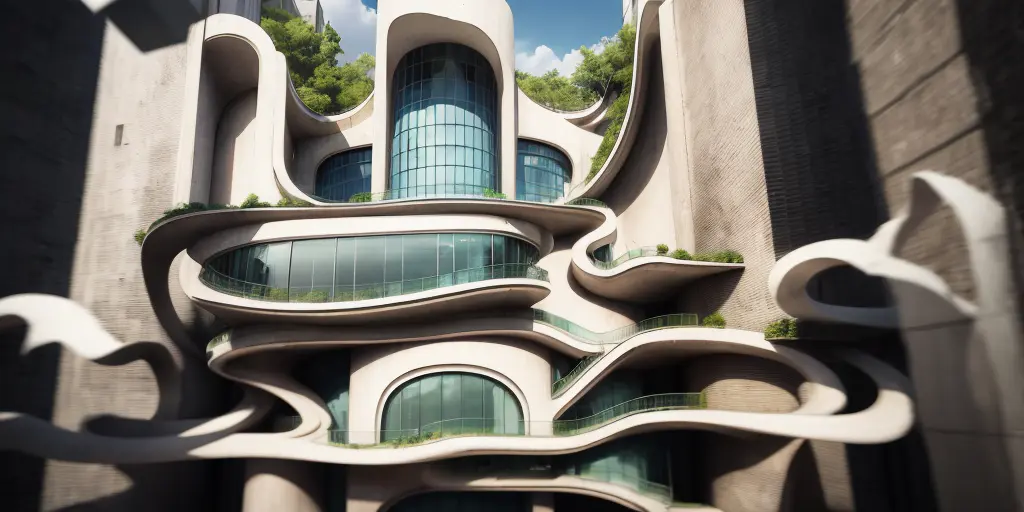
未加shuffle的图
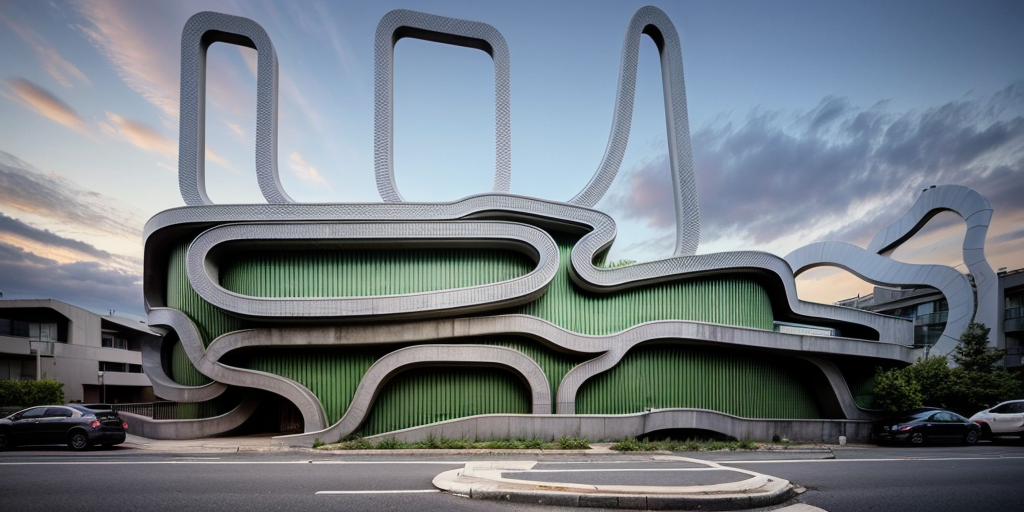
预处理器选none的情况
最后
如果你是真正有耐心想花功夫学一门技术去改变现状,我可以把这套AI教程无偿分享给你,包含了AIGC资料包括AIGC入门学习思维导图、AIGC工具安装包、精品AIGC学习书籍手册、AI绘画视频教程、AIGC实战学习等。
这份完整版的AIGC资料我已经打包好,长按下方二维码,即可免费领取!

【AIGC所有方向的学习路线思维导图】

【AIGC工具库】

【精品AIGC学习书籍手册】

【AI绘画视频合集】

这份完整版的AIGC资料我已经打包好,长按下方二维码,即可免费领取!
文章来源于互联网:Stable Diffusion涂鸦生建筑效果图教程
相关推荐: 2024年印象深刻的AI写作API接口介绍
在过去几年里,AI写作类型的API服务得到了快速发展,为用户提供了更加智能、高效的写作辅助工具。其中,一些知名的API服务如Komprehend意图分析api、Komprehend讽刺检测、Komprehend命名实体识别、CAPIX AI书名生成、CAPIX…
一、演示内容:
1、SD的photopea插件涂鸦发送之controlnet,
2、用scribble+shuffle预处理,
3、zaha的lora,
4、提示词描述
所有的AI设计工具,模型和插件,都已经整理好了,文末扫码即可免费获取噢~
二、成果展示

白天

参数立面感
三、教程准备
1、一张草稿
2、一张shuffle参考图
本图为陈总自制lora模型,生成的售楼处的图
3、用到的模型,仍然是henmixReal_v40.safetensors,C站可以下到
四、生图步骤
1、填写如下提示词
parameters
a rendering of a building with large windows on it’s side and a city in the background,people walking around it on the sidewalk,a digital rendering,David Chipperfield,hypermodernism,vray render,architecture,bridge,building,city,cityscape,cloud,cloudy_sky,day,east_asian_architecture,house,mountain,no_humans,outdoors,road,ruins,scenery,sky,skyscraper,tower,tree,
Negative prompt: overexpousure, sketch,illustrious,logo,text, paintings, sketches, (worst quality:2), (low quality:2), (normal quality:2), lowres, ((monochrome)), ((grayscale)), watermark, signature, text, [( NG_DeepNegative_V1_75T :0.9) :0.2], high contrast,
Steps: 12, Sampler: DPM++ SDE Karras, CFG scale: 9, Seed: 2971866181, Size: 1024×512, Model hash: d1aaf70725, Model: henmixReal_v40, NGMS: 3, ControlNet 0: “preprocessor: invert (from white bg & black line), model: control_v11p_sd15_scribble [d4ba51ff], weight: 0.6, starting/ending: (0, 1), resize mode: Crop and Resize, pixel perfect: False, control mode: Balanced, preprocessor params: (512, 64, 64)”, ControlNet 1: “preprocessor: shuffle, model: control_v11e_sd15_shuffle [526bfdae], weight: 0.4, starting/ending: (0, 1), resize mode: Crop and Resize, pixel perfect: True, control mode: Balanced, preprocessor params: (512, 64, 64)”, CFG Rescale φ: 0, AddNet Enabled: True, AddNet Module 1: LoRA, AddNet Model 1: zahahadid(448e3b918283), AddNet Weight A 1: 0.35, AddNet Weight B 1: 0.35
2、生图参数如下
3、测试推荐种子:
2060827079
2060827087
3816377789
五、重点讲解:
1、photopea插件:
插件下载几安装地址:
https://github.com/yankooliveira/sd-webui-photopea-embed
食用方法,与ps基本相同,免费是全功能,有广告,可以编辑后可保存或者直接发送到生图界面
2、提示词提取插件:
1、wd14-tagger和clip-interrogator
https://github.com/pharmapsychotic/clip-interrogator-ext
https://github.com/toriato/stable-diffusion-webui-wd14-tagger
3、lora参数为0.35,不宜过大
4、shuffle参数为0.4
六、过程图分享:
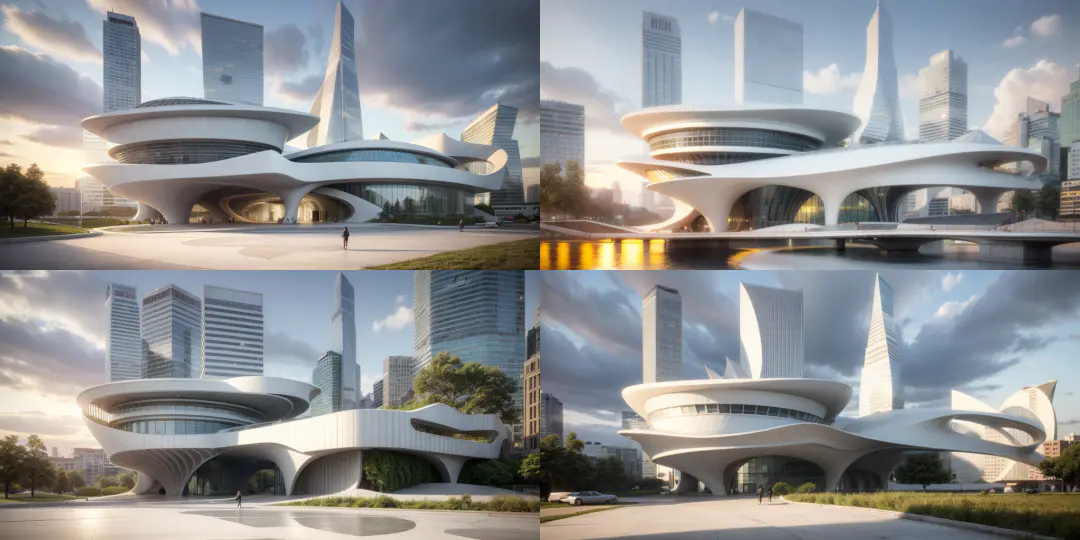
henmixreal大模型生成的效果

动漫大模型:revAnimated_v122
parameters
a rendering of a building with large windows on it’s side and a city in the background,people walking around it on the sidewalk,a digital rendering,David Chipperfield,hypermodernism,vray render,architecture,bridge,building,city,cityscape,cloud,cloudy_sky,day,east_asian_architecture,house,mountain,no_humans,outdoors,road,ruins,scenery,sky,skyscraper,tower,tree,
Negative prompt: overexpousure, sketch,illustrious,logo,text, paintings, sketches, (worst quality:2), (low quality:2), (normal quality:2), lowres, ((monochrome)), ((grayscale)), watermark, signature, text, [( NG_DeepNegative_V1_75T :0.9) :0.2], high contrast,
Steps: 12, Sampler: DPM++ SDE Karras, CFG scale: 9, Seed: 2161132774, Size: 1024×512, Model hash: 4199bcdd14, Model: revAnimated_v122, Clip skip: 2, NGMS: 3, ControlNet 0: “preprocessor: invert (from white bg & black line), model: control_v11p_sd15_scribble [d4ba51ff], weight: 0.6, starting/ending: (0, 1), resize mode: Crop and Resize, pixel perfect: False, control mode: Balanced, preprocessor params: (512, 64, 64)”, ControlNet 1: “preprocessor: shuffle, model: control_v11e_sd15_shuffle [526bfdae], weight: 0.4, starting/ending: (0, 1), resize mode: Crop and Resize, pixel perfect: True, control mode: Balanced, preprocessor params: (512, 64, 64)”, CFG Rescale φ: 0, AddNet Enabled: True, AddNet Module 1: LoRA, AddNet Model 1: zahahadid(448e3b918283), AddNet Weight A 1: 0.35, AddNet Weight B 1: 0.35

未加shuffle的图
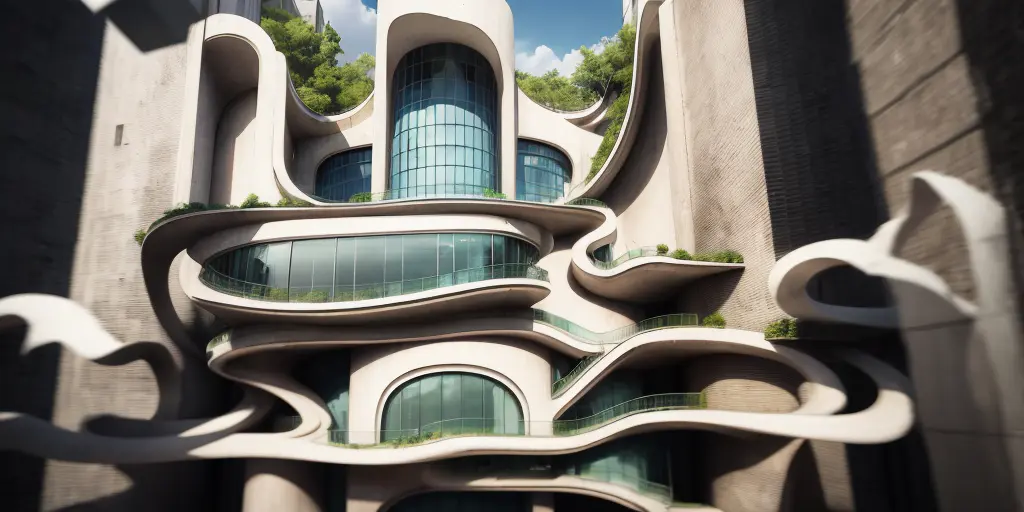
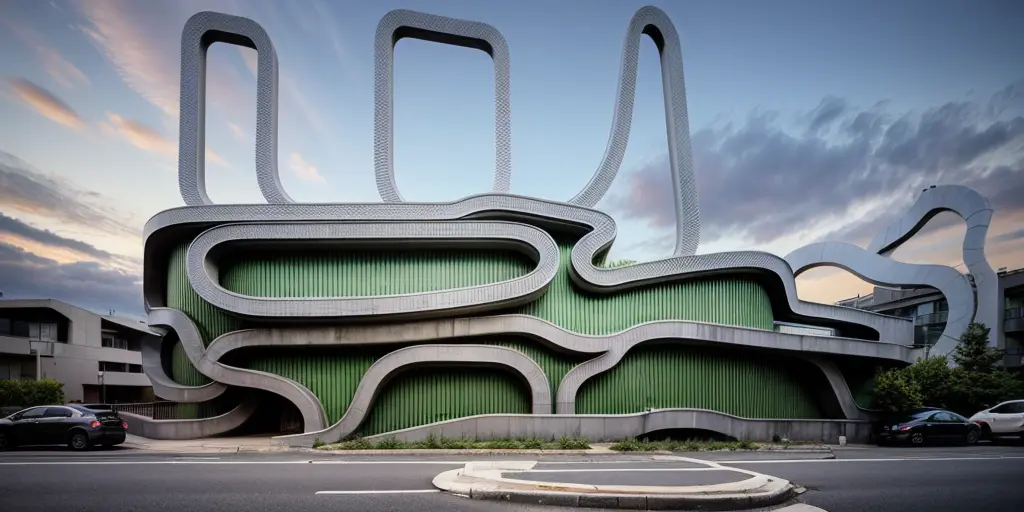
预处理器选none的情况
写在最后
AIGC技术的未来发展前景广阔,随着人工智能技术的不断发展,AIGC技术也将不断提高。未来,AIGC技术将在游戏和计算领域得到更广泛的应用,使游戏和计算系统具有更高效、更智能、更灵活的特性。同时,AIGC技术也将与人工智能技术紧密结合,在更多的领域得到广泛应用,对程序员来说影响至关重要。未来,AIGC技术将继续得到提高,同时也将与人工智能技术紧密结合,在更多的领域得到广泛应用。
感兴趣的小伙伴,赠送全套AIGC学习资料和安装工具,包含AI绘画、AI人工智能等前沿科技教程,模型插件,具体看下方。

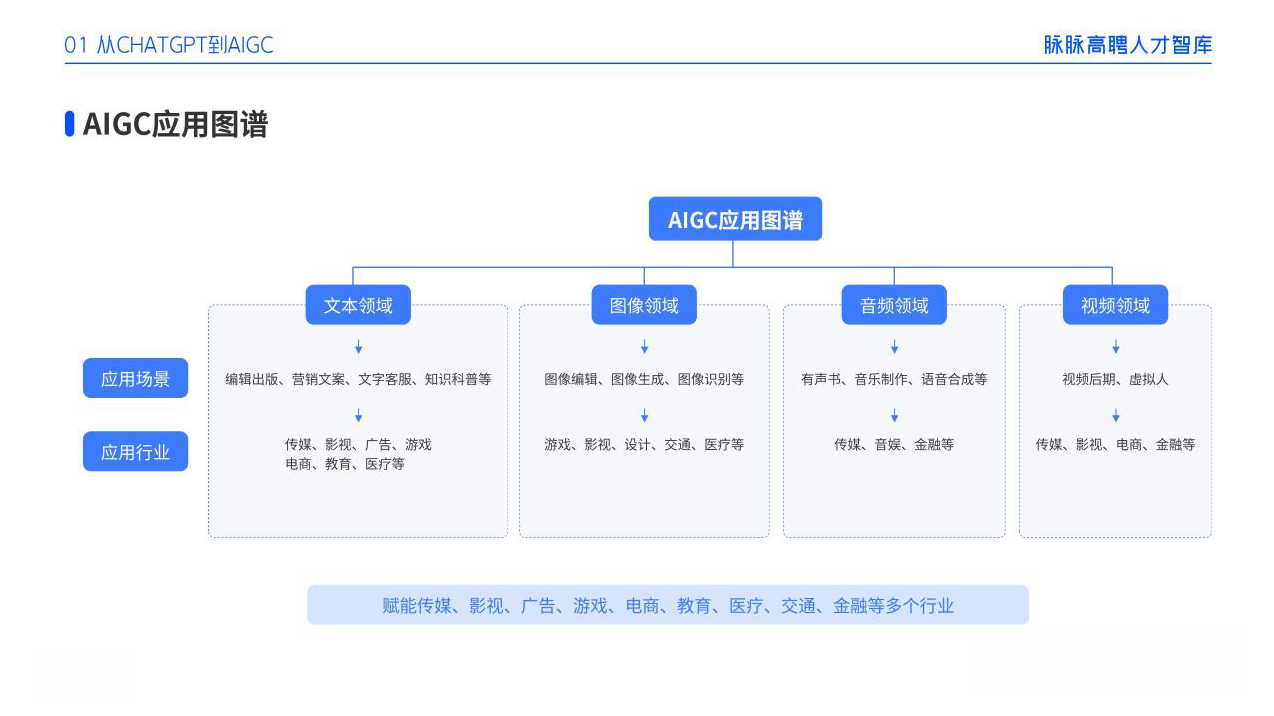
一、AIGC所有方向的学习路线
AIGC所有方向的技术点做的整理,形成各个领域的知识点汇总,它的用处就在于,你可以按照下面的知识点去找对应的学习资源,保证自己学得较为全面。

二、AIGC必备工具
工具都帮大家整理好了,安装就可直接上手!

三、最新AIGC学习笔记
当我学到一定基础,有自己的理解能力的时候,会去阅读一些前辈整理的书籍或者手写的笔记资料,这些笔记详细记载了他们对一些技术点的理解,这些理解是比较独到,可以学到不一样的思路。


四、AIGC视频教程合集
观看全面零基础学习视频,看视频学习是最快捷也是最有效果的方式,跟着视频中老师的思路,从基础到深入,还是很容易入门的。

五、实战案例
纸上得来终觉浅,要学会跟着视频一起敲,要动手实操,才能将自己的所学运用到实际当中去,这时候可以搞点实战案例来学习。

若有侵权,请联系删除文章来源于互联网:Stable Diffusion涂鸦生建筑效果图教程
相关推荐: 本地服务器部署Text generation并添加code llama实现远程多人协作
前言 本篇文章介绍如何在本地部署Text generation Web UI并搭建Code Llama大模型运行,并且搭建Code Llama大语言模型,结合Cpolar内网穿透实现公网可远程使用Code Llama。 Code Llama是一个可以使用文本提…
 5bei.cn大模型教程网


